AI Dating Privacy Guide For Screenshots, Texts, And Photos
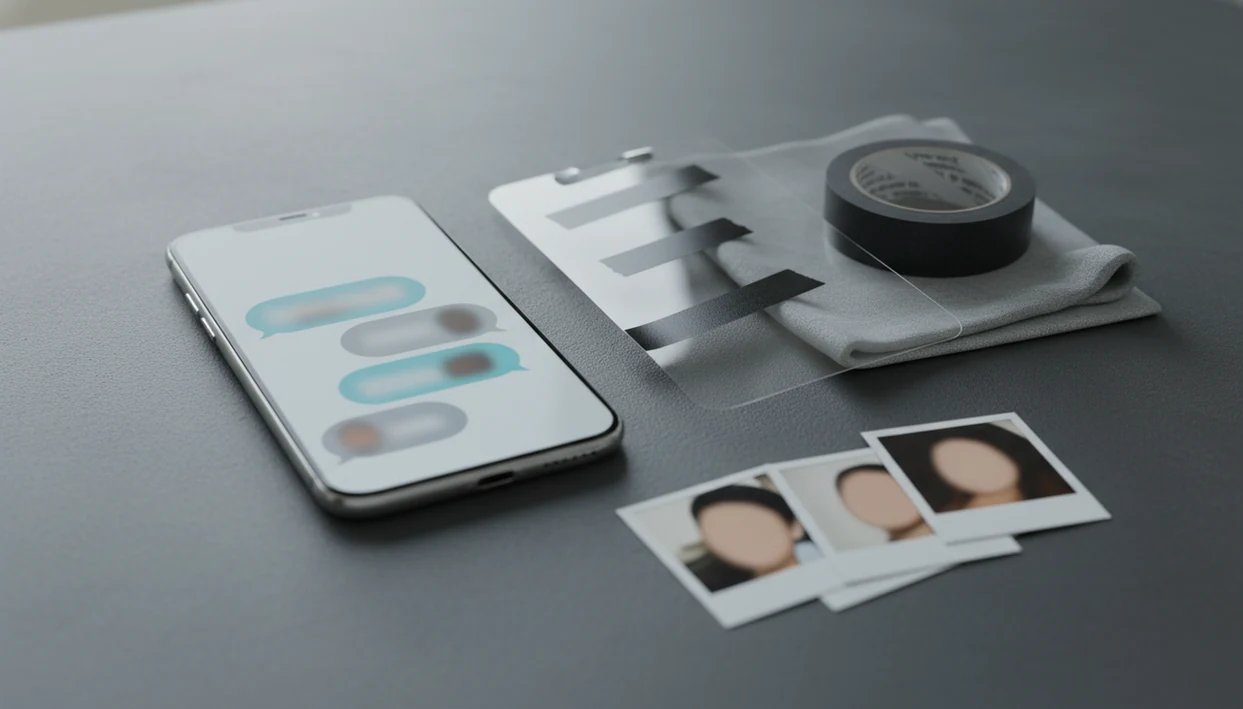
AI dating privacy means limiting what personal dating data you upload, checking how an AI tool stores or trains on it, and redacting screenshots, chat text, and photos before sharing them. The safest approach is to upload only the minimum context needed for reply help, profile feedback, or toxic-message interpretation.
> Definition: AI dating privacy covers how dating screenshots, chat messages, profile photos, location clues, and other personal details are collected, processed, stored, shared, deleted, or used for AI training by dating apps and AI dating assistants.
- Dating screenshots and copied chats can reveal names, faces, locations, jobs, sexual preferences, and conversation patterns even after obvious identifiers are removed.
- Before using any AI dating assistant, check whether uploads are stored, shared with third parties, used for model training, or covered by a separate privacy policy from the dating app.
- Reduce risk by cropping screenshots, blurring faces and names, removing location clues, stripping photo metadata, and uploading only the smallest useful excerpt.
AI Dating Privacy At A Glance For App Users
AI dating privacy is the practice of keeping screenshots, texts, photos, location clues, and profile exports from creating a second data trail outside the dating app. Once you paste a Bumble opener or upload a Tinder bio screenshot, that copy may be governed by a new service’s policy.
This guide is practical privacy education, not legal, security, or crisis-safety advice. If a dating exchange involves stalking, threats, blackmail, coercion, or immediate danger, use platform safety tools and trusted local support instead of relying on an AI reply.
Tools like UnToxic can help with dating app replies, profile feedback, and toxic-message checks for mobile daters, but safer use still depends on two things: the provider’s rules and your own redaction habits. AI does not make a screenshot private by itself.
The pocket check is real.
Before uploading, ask what the tool needs. A one-message excerpt is often safer than a full blue iMessage bubble thread with names, timestamps, and notification previews.
Five AI Dating App Privacy Facts Users Should Know
- Dating apps often process sensitive personal data, including location, photos, preferences, messages, swipes, profile edits, and app behavior.
- Pew Research found that 30% of U.S. adults have used an online dating site or app, rising to 48% among adults ages 18 to 29 source.
- A Norwegian Consumer Council analysis found that 10 out of 10 tested apps shared personal data with at least 135 third parties for advertising or profiling source.
- Norway’s data protection authority fined Grindr 100 million NOK for sharing GPS location, IP address, age, gender, and app use without valid consent source.
- Re-identification research found that 90% of people in a de-identified dataset could be identified with four spatiotemporal data points source; face recognition and visible background details add another identification risk when faces remain in casual images.
For app users, small dating details can become identifying when they travel together. That matters when a screenshot crop cuts off the previous message but leaves a workplace, a face, or a venue name.
How AI Dating Privacy Works Behind Screenshots And Chat Text
AI dating privacy works by controlling the data flow from your phone to the tool that analyzes it. A typical flow is simple: you upload a screenshot or paste chat text, the app sends it to servers or model APIs, the system analyzes context, then it returns a reply, profile suggestion, or safety interpretation.
The technical differences matter. Some tools process more on-device, meaning less content leaves your phone. Others use encrypted API calls, server logs, analytics events, cloud storage, or model-training pipelines. In plain terms, your message may be protected while moving, but still stored after arrival.
End-to-end encryption in the original chat does not protect content once you export it. A green Android bubble copied into another app is now under that app’s rules.
Screenshots also carry indirect clues. A bar menu link shared in chat, a calendar banner, or a profile photo background can identify someone without showing their full name.
Dating Screenshot Privacy Risks In Names, Faces, And Location Clues
Can a dating screenshot identify someone after the name is removed? Yes, because screenshots often contain faces, usernames, profile photos, school names, employers, cities, neighborhoods, venues, timestamps, mutual friends, and notification previews.
Re-identification usually comes from clue-stacking, not one obvious detail. A cropped Hinge prompt can still show a workplace. A Bumble profile photo at a local gym may reveal a neighborhood. A text thread about a unique event can point to one person in one city.
A screenshot is rarely just text.
Crop tightly, blur faces, hide handles, and remove location clues before upload. Avoid uploading another person’s face unless it is truly needed for the request. For a deeper checklist focused only on image sharing, the dating app screenshot privacy guide covers crops, blur tools, and risky background details.
Safer Upload Checklist For AI Dating App Privacy
Use this checklist before sharing dating content with any AI tool:
- Crop the screenshot to the exact message, profile prompt, or bio section you need help with.
- Redact visible identifiers including faces, names, handles, phone numbers, workplaces, addresses, exact locations, calendars, and notification details.
- Remove photo metadata before uploading profile photos, especially EXIF data tied to device, time, or location.
- Minimize chat context by shortening pasted text to the relevant exchange and rewriting unique identifiers when possible.
- Review provider settings or policy for storage, deletion, training use, staff access, and third-party sharing.
Do not upload nude images, government IDs, bank details, private addresses, or content involving someone at safety risk. If a late-night pressure text feels threatening, save screenshots before blocking or unmatching, then consider a safer support route. The dating message pressure safety guide is more useful than reply-writing in that situation.
A good AI dating assistant should give context-aware reply options, profile feedback, pickup-line help, and toxic-conversation red-flag detection without encouraging pressure scripts, adult-content generation, or manipulation.
Dating App Data Safety Questions To Ask Before Using AI
Ask these questions before trusting an AI dating assistant with screenshots, copied chats, or profile photos:
- Retention: Are uploads stored, for how long, and can you delete them yourself?
- Training: Are screenshots, chat text, or photos used to train AI models by default, or only with clear consent?
- Third parties: Which cloud providers, analytics tools, advertising networks, and model providers receive data?
- Security: Is data encrypted in transit and at rest, and is staff access restricted?
- Deletion: Does account deletion remove uploaded content, or only the login account?
Apps such as UnToxic, rizz.app, yourmove.ai, and plug.ai should be evaluated on these points, not just on reply quality. For replies, profile help, pickup lines, and toxic red-flag detection, privacy posture is part of the feature set.
If you are also weighing whether AI help changes the honesty of a conversation, read is using AI for dating cheating alongside the privacy policy.
Common AI Dating Privacy Myths About Anonymous Chats
Removing a name does not make a screenshot anonymous. Photos, jobs, locations, writing style, venues, and timestamps can still point to a real person. A screenshot with a friend-picked photo lineup beside a laptop may show more than the dating profile itself.
Chatbots can store inputs. Many AI systems process data server-side and may log prompts unless the policy limits retention. “It’s just a chatbot” is not a privacy control.
Only the dating app seeing your data is also a myth. Advertisers, analytics partners, SDKs, cloud vendors, and model providers may be part of the chain, depending on the service.
Original encryption does not follow the screenshot. Once you upload or paste content elsewhere, the new service’s security rules apply. If you want help sounding like yourself rather than outsourcing your voice, AI dating authenticity is the companion concern.
AI Dating Privacy Boundaries For Screenshots And Safety
Privacy controls reduce risk, but they cannot guarantee protection from breaches, device compromise, screenshots taken by others, or social sharing outside the app. If another person saves your message, your settings cannot fully control what happens next.
AI red-flag detection is support, not emergency help, legal advice, therapy, or a personal safety plan. It can help you check the context of a weird message, but it cannot verify whether someone is truthful, safe, single, or acting in good faith.
A phone face-down after a weird text is data, too.
Use AI for a better reply, a clearer boundary, or a safer next step. Avoid manipulative tactics and adult content. For more on where automated safety analysis can go wrong, read toxic text analyzer limitations.
When To Use Platform Safety Tools Instead Of AI
Use platform safety tools instead of AI when the exchange has moved from awkward to unsafe. Threats, stalking behavior, coercion, blackmail, repeated boundary-pushing, or sexual pressure are not problems a better message can solve.
AI red-flag tools can help name a pattern, but they cannot build a personal safety plan, assess your location risk, or coordinate help. In those moments, the safer move may be silence, not a polished reply that keeps the conversation open.
- Pause before answering if the message feels threatening, escalating, or designed to trap you into explaining yourself.
- Preserve screenshots, usernames, profile details, dates, and message history before blocking or unmatching, if doing so does not increase your risk.
- Report the account inside the dating app using its safety or moderation tools, especially for threats, harassment, impersonation, extortion, or sexual pressure.
- Tell a trusted friend, roommate, family member, or local support person what happened and where the conversation is stored.
- Contact local emergency services or crisis resources if there is immediate danger, stalking offline, doxxing, blackmail, or fear that the person may show up.
The safest text is sometimes no text at all.
Limitations
No dating app or AI dating assistant can promise 100% privacy or security. Treat privacy as risk reduction, not a guarantee.
- De-identified dating data can sometimes be re-identified when combined with location, image, behavioral, or demographic clues.
- Privacy policies may change, so users should review current terms instead of relying on old summaries.
- Deleting an account may not instantly remove backups, legal retention records, or data already shared with processors.
- Redaction reduces risk but can miss hidden metadata, notification previews, background signs, or unique phrasing.
- AI red-flag detection can miss toxic behavior or falsely flag harmless messages.
- Laws vary by country and state, so this guide is practical privacy information, not legal advice.
- If a message suggests immediate danger, stalking, blackmail, or coercion, contact trusted people, platform safety tools, or local emergency resources instead of relying on AI.
The safer next step is sometimes not replying.
FAQ
Is it safe to use AI for dating advice?
It can be safer when you minimize data, redact identifiers, and choose a provider with clear retention, deletion, and security rules. It is riskier when you upload full screenshots, faces, private addresses, or sensitive chats.
Can AI tools store my dating screenshots?
Yes, many AI services can log or store uploads unless their policy specifically limits retention. Check whether screenshots are stored, used for training, or deleted after processing.
What should I redact from a dating screenshot before uploading it?
Redact names, faces, handles, phone numbers, workplaces, addresses, exact locations, mutual friends, timestamps, and notification details. Crop the image to the smallest useful area.
Can someone be identified from an anonymized dating screenshot?
Yes, indirect details such as photos, job clues, venues, writing style, timestamps, and local events can identify someone. Removing a name is not full anonymization.
Are pasted dating chats private when I use an AI assistant?
Pasted chats are private only under the receiving tool’s privacy policy and security practices. The original dating app’s rules no longer control that copied text.
Do dating apps share data with advertisers or third parties?
Some dating apps and related tools share data with advertisers, analytics partners, cloud vendors, or other third parties. Review the current privacy policy and app store listing before uploading sensitive content.
Do dating profile photos contain hidden metadata?
Profile photos can contain EXIF or device metadata, including time, device, and sometimes location data. Strip metadata before uploading photos to an AI tool.
Does encryption protect a screenshot after I upload it to another app?
No, original app encryption does not govern a screenshot after you export or upload it elsewhere. The receiving app’s privacy and security practices apply.
Can AI detect toxic messages in dating chats?
AI can flag patterns such as pressure, insults, manipulation, love-bombing, or boundary-pushing. It should not replace judgment, safety planning, professional help, or emergency support.